A threaded server in Java for the Android platform

Category : Networking

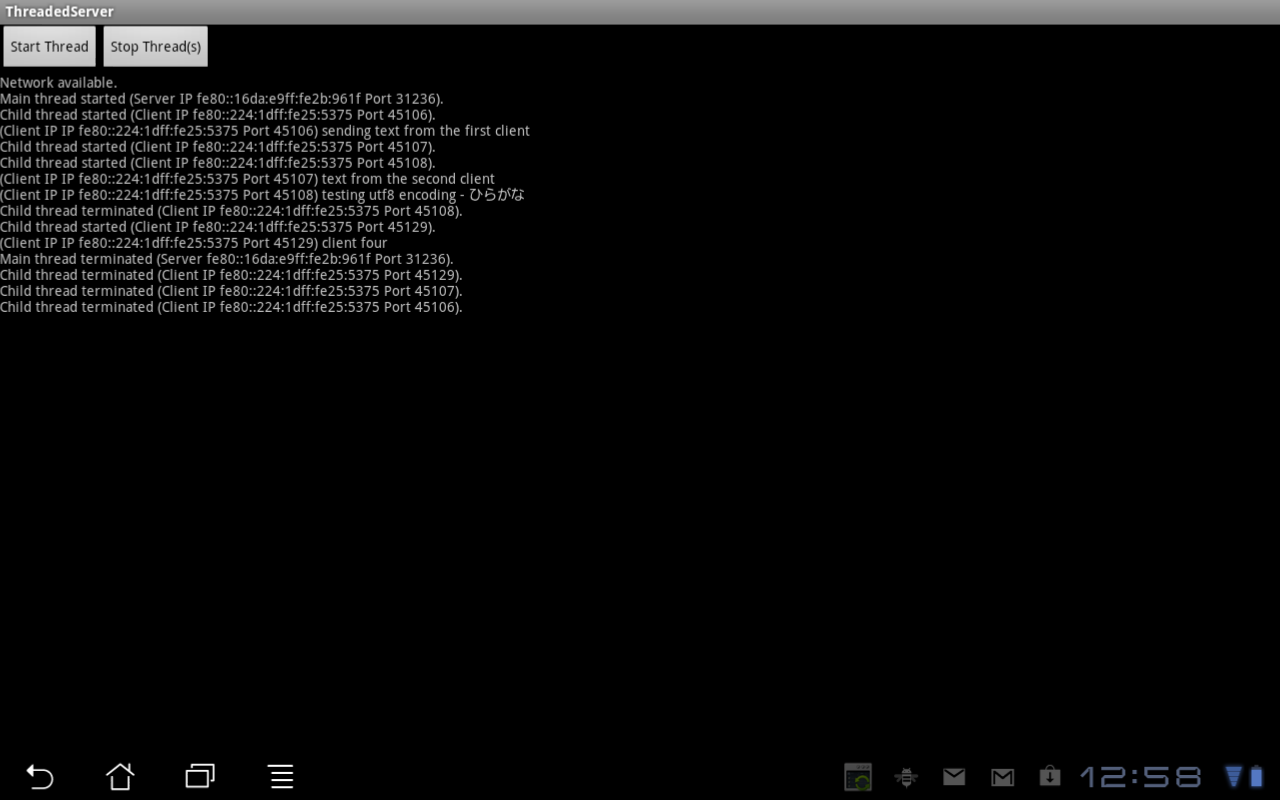
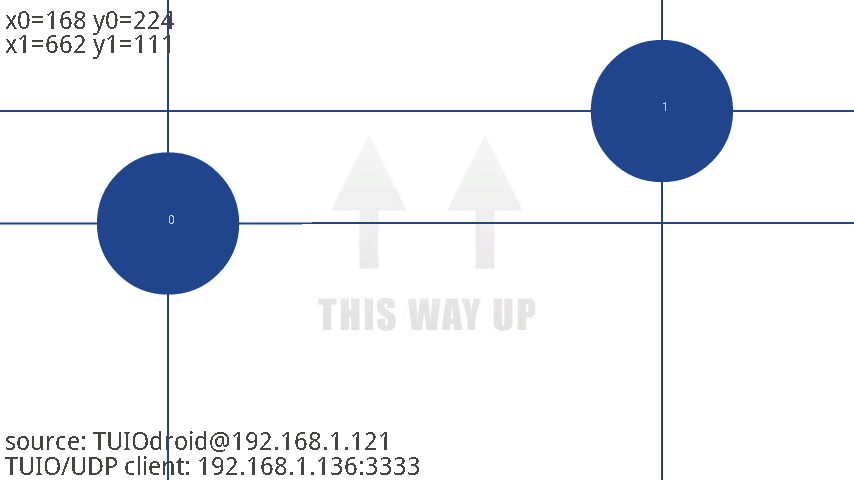
In this post we will create a basic concurrent server using threads in Java. The server will be implemented for the Android platform as part of a larger project to control a USB interface board remotely. Below are two screen captures. The first shows a state of the server after a few clients have connected and sent data. The second shows the terminals for the four clients.

Screen capture of the server application running on an Android tablet.

Screen capture of the server application running on an Android tablet.

A screen capture of the corresponding client terminals.

A screen capture of the corresponding client terminals.

We will first take a look at our user interface. The main.xml file is given below. We have two buttons for starting and stopping our threads and a TextView widget wrapped in a ScrollView for rendering the output.

<?xml version="1.0" encoding="utf-8"?>
<LinearLayout xmlns:android="http://schemas.android.com/apk/res/android"
	android:orientation="vertical"
	android:layout_width="fill_parent"
	android:layout_height="fill_parent"
	>
	<LinearLayout xmlns:android="http://schemas.android.com/apk/res/android"
		android:orientation="horizontal"
		android:layout_width="fill_parent"
		android:layout_height="wrap_content"
		>
		<Button android:id="@+id/startThread"
			android:text="Start Thread"
			android:layout_width="wrap_content"
			android:layout_height="wrap_content"
			android:layout_centerHorizontal="true"
			/>
		<Button android:id="@+id/stopThreads"
			android:text="Stop Thread(s)"
			android:layout_width="wrap_content"
			android:layout_height="wrap_content"
			android:layout_centerHorizontal="true"
			/>
	</LinearLayout>
	<ScrollView android:id="@+id/scroll"
		android:layout_width="fill_parent"
		android:layout_height="fill_parent"
		>
		<TextView android:id="@+id/log"
			android:layout_width="fill_parent"
			android:layout_height="fill_parent"
			android:singleLine="false"
			android:text=""
			/>
	</ScrollView>
</LinearLayout>

Next, we have a ThreadedServer class which extends the Activity class and defines our main application. Within ThreadedServer we define a couple of helper methods to detect if the network is available and another to enumerate our network interfaces and return an InetAddress.

	private boolean isNetworkAvailable() {
		NetworkInfo networkInfo = ((ConnectivityManager)getSystemService(Context.CONNECTIVITY_SERVICE)).getActiveNetworkInfo();
		return networkInfo != null && networkInfo.isConnected();
	}

	private InetAddress getInetAddress() {
		try {
			Enumeration<NetworkInterface> enum_networkInterface = NetworkInterface.getNetworkInterfaces();
			while (enum_networkInterface.hasMoreElements()) {
				NetworkInterface networkInterface = enum_networkInterface.nextElement();
				Enumeration<InetAddress> enum_inetAddress = networkInterface.getInetAddresses();
				while (enum_inetAddress.hasMoreElements()) {
					InetAddress inetAddress = enum_inetAddress.nextElement();
					if (!inetAddress.isLoopbackAddress()) return inetAddress;
				}
			}
		} catch (SocketException e) {
			log.append(e.toString()+"\n");
			scroll.fullScroll(View.FOCUS_DOWN);
		}
		return null;
	}

Within our onCreate method, we grab the TextView and ScrollView widgets in addition to the buttons. We then bind the respective click event handlers to the buttons. The handler for the stopThreads button simply sets our runThreads flag to false to terminate our threads. The handler for the startThread button checks if the network is available and, if so, grabs the IP address and starts our server thread.

	@Override
	public void onCreate(Bundle savedInstanceState) {
		super.onCreate(savedInstanceState);

		setContentView(R.layout.main);
		log = (TextView)findViewById(R.id.log);
		scroll = (ScrollView)findViewById(R.id.scroll);

		runThreads = false;

		stopThreads = (Button)findViewById(R.id.stopThreads);
		stopThreads.setOnClickListener(new View.OnClickListener() {
			public void onClick(View v) {
				runThreads = false;
			}
		});

		startThread = (Button)findViewById(R.id.startThread);
		startThread.setOnClickListener(new View.OnClickListener() {
			public void onClick(View v) {
				if (!runThreads) {
					boolean networkAvailable = isNetworkAvailable();
					log.append(networkAvailable ? "Network available.\n" : "Network unavailable.\n");
					scroll.fullScroll(View.FOCUS_DOWN);
					if (networkAvailable) {
						InetAddress inetAddress = getInetAddress();
						ipAddress = inetAddress != null ? inetAddress.getHostAddress().toString() : "";
						runThreads = true;
						new Thread(new ServerThread()).start();
					}
				}
			}
		});
	}

Below is the ServerThread object. Within this object we use a ServerSocketChannel in order to set the mode of this channel to non-blocking. Our stopThreads button can then terminate this thread. Once the non-blocking mode is set we grab the socket and bind it to our port. We then enter our main loop and wait for client connections. When a client connection is accepted, we spawn a thread for that client.

	public class ServerThread implements Runnable {
		public void run() {
			handler.post(new Runnable() {
				@Override
				public void run() {
					log.append("Main thread started (Server IP "+ipAddress+" Port "+PORT+").\n");
					scroll.fullScroll(View.FOCUS_DOWN);
				}
			});
			try {
				serverSocketChannel = ServerSocketChannel.open();
				serverSocketChannel.configureBlocking(false);
				serverSocket = serverSocketChannel.socket();
				serverSocket.bind(new InetSocketAddress(PORT));
				while(runThreads) {
					SocketChannel socketChannel = serverSocketChannel.accept();
					if (socketChannel != null)
						new Thread(new AcceptThread(socketChannel)).start();
				}
			} catch(IOException e) {
				final String err = e.toString();
				handler.post(new Runnable() {
					@Override
					public void run() {
						log.append(err+"\n");
						scroll.fullScroll(View.FOCUS_DOWN);
					}
				});
			}
			try {
				serverSocketChannel.close();
			} catch(IOException e) {
				final String err = e.toString();
				handler.post(new Runnable() {
					@Override
					public void run() {
						log.append(err+"\n");
						scroll.fullScroll(View.FOCUS_DOWN);
					}
				});
			}
			handler.post(new Runnable() {
				@Override
				public void run() {
					log.append("Main thread terminated (Server "+ipAddress+" Port "+PORT+").\n");
					scroll.fullScroll(View.FOCUS_DOWN);
				}
			});
		}
	}

Lastly, we have our AcceptThread object to handle client communications. When this thread is spawned in the server thread, the SocketChannel result of the accept method is passed to the AcceptThread constructor. Communication with this client will then be performed over this socket channel. Below we set the mode of this channel to non-blocking and enter the thread's main loop. Within this loop, we attempt to read from the socket channel and store the result in a ByteBuffer. We then pass this buffer to an instance of CharsetDecoder to convert our byte sequence into a UTF-8 character sequence. Data transferred from the client to the server is then rendered in the TextView.

	public class AcceptThread implements Runnable {
		private SocketChannel sc;
		private String socketAddressStr;
		private boolean runChild;
		public AcceptThread(SocketChannel socketChannel) {
			sc = socketChannel;
			socketAddressStr = "IP "+sc.socket().getInetAddress().getHostAddress().toString()+" Port "+sc.socket().getPort();
			runChild = true;
		}

		public void run() {
			handler.post(new Runnable() {
				@Override
				public void run() {
					log.append("Child thread started (Client "+socketAddressStr+").\n");
					scroll.fullScroll(View.FOCUS_DOWN);
				}
			});
			try {
				sc.configureBlocking(false);
				while (runThreads && runChild) {
					ByteBuffer buffer = ByteBuffer.allocateDirect(1024);
					buffer.clear();
					int bytesRead = sc.read(buffer);
					if (bytesRead == -1) {
						runChild = false;
						sc.close();
					} else if (bytesRead > 0) {
						buffer.flip();
						Charset charset = Charset.forName("UTF-8");
						CharsetDecoder decoder = charset.newDecoder();
						final String buf = decoder.decode(buffer).toString();
						handler.post(new Runnable() {
							@Override
							public void run() {
								log.append("(Client IP "+socketAddressStr+") "+buf);
								scroll.fullScroll(View.FOCUS_DOWN);
							}
						});
					}
				}
			} catch(IOException e) {
				final String err = e.toString();
				handler.post(new Runnable() {
					@Override
					public void run() {
						log.append(err+"\n");
						scroll.fullScroll(View.FOCUS_DOWN);
					}
				});
			}
			try {
				sc.close();
			} catch(IOException e) {
				final String err = e.toString();
				handler.post(new Runnable() {
					@Override
					public void run() {
						log.append(err+"\n");
						scroll.fullScroll(View.FOCUS_DOWN);
					}
				});
			}
			handler.post(new Runnable() {
				@Override
				public void run() {
					log.append("Child thread terminated (Client "+socketAddressStr+").\n");
					scroll.fullScroll(View.FOCUS_DOWN);
				}
			});
		}
	}

This is simply a preliminary server module intended for a larger project. We used telnet to connect to our server as a client, so we will eventually create a specialized client application. Additionally, we'll need to add the hooks to the server to interface with a USB board. If you have any comments or suggestions, let me know.

Download this project: ThreadedServer.tar.bz2

Using Fourier synthesis to generate a fractional Brownian motion surface

Category : Mathematics, Rendering

In this post we will discuss generating fractal terrain. In the previous post we implemented our own fast Fourier transform in order to simulate an ocean surface. In that post we implemented an unnormalized inverse transform. It seemed logical to employ our FFT object as a means of generating terrain, but in order to do so we will need to add a method to compute the forward transform. This will be a relatively brief post. Most of the foundation has been laid with our ocean simulation, so we will simply retool our FFT object for the purpose of generating terrain.

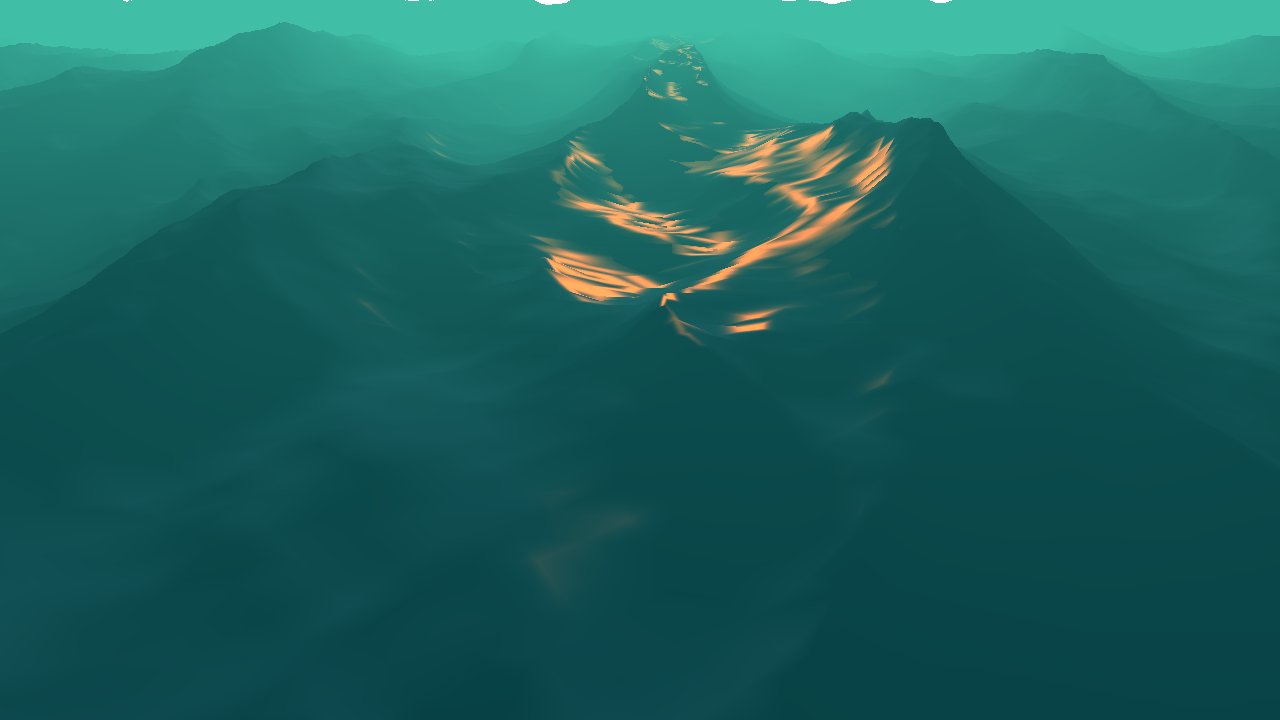
The process we will implement begins with generating a two-dimensional Gaussian white noise. We then take the Fourier transform of the white noise and apply a 1/f^\beta filter in the frequency domain. This filter has the effect of curbing the amplitudes of the higher frequencies. We then apply the inverse transform and interpret the result as a height field. Below are two screen captures, one for \beta=2.4 and the other for \beta=2.0. Periodicity of the Fourier transform allows us to tile our maps. The images below have been tiled.

Terrain generated with a beta of 2.4 and tiled.

Terrain generated with a beta of 2.4 and tiled.

Terrain generated with a beta of 2.0 and tiled.

Terrain generated with a beta of 2.0 and tiled.

In the previous post we found our twiddle factors for the inverse transform to be,

\begin{align*}
T_N^x &= \exp\left(\frac{i2\pi x}{N}\right) \\
\end{align*}

If we follow that analysis for the case of the forward transform, we find the twiddle factors,

\begin{align*}
{T_N^x}' &= \exp\left(\frac{-i2\pi x}{N}\right) \\
\end{align*}

So the only modifications we need to make to our FFT object is to precompute a second set of twiddle factors and to apply those in the case of the forward transform. See src/fft.h and src/fft.cc in the project download.

In order to generate terrain using the method of Fourier synthesis our first step will be to generate a Gaussian white noise (see src/terrain.h and src/terrain.cc for the complete implementation).

// generate noise in the spatial domain
for (int i = 0; i < N * N; i++) {
	c[i] = gaussianRandomVariable();
}

A rendering of the white noise is below.

A rendering of the Gaussian white noise.

A rendering of the Gaussian white noise.

We then apply the forward transform to transform the white noise into the frequency domain.

// transform to the frequency domain
for (int j = 0; j < N; j++) fft.fft_(c, c, 1, j * N);
for (int i = 0; i < N; i++) fft.fft_(c, c, N, i);

Below we have mapped the real component of the result of the forward transform to the height of the terrain.

Applying the forward transform and interpreting the real values as the height map.

Applying the forward transform and interpreting the real values as the height map.

In the third step we apply the filter to curb the higher frequencies.

	// apply 1/(f^p) filter
	double f;
	for (int j = 0; j < N; j++) {
		for (int i = 0; i < N; i++) {
			index = i + j * N;
			f = sqrt((i-N/2)/float(N) * (i-N/2)/float(N) + (j-N/2)/float(N) * (j-N/2)/float(N));
			f = f < 1.0/N ? 1.0/N : f;
			c[index] = c[index]*(1.0f/ pow(f, power));
		}
	}

The result of applying the low-pass filter is below. Note that we have four spikes because we have tiled our map in the x and z directions.

Applying the 1/f^beta filter in the frequency domain. Note that we have four spikes because we have tiled the map.

Applying the 1/f^beta filter in the frequency domain. Note that we have four spikes because we have tiled the map.

Lastly, we transform back into the spatial domain by applying the inverse transform.

// transform back to spatial domain
for (int j = 0; j < N; j++) {
	fft.fft(c, c, 1, j * N);
	for (int i = 0; i < N; i++) {
		c[i + j * N] = c[i + j * N] * (1.0f/N);
	}
}
for (int i = 0; i < N; i++) {
	fft.fft(c, c, N, i);
	for (int j = 0; j < N; j++) {
		c[i + j * N] = c[i + j * N] * (1.0f/N);
	}
}

We interpret the components of the result of the inverse transform as our height map yielding the rendering below.

In the last step we apply the inverse transform to return to the spatial domain.

In the last step we apply the inverse transform to return to the spatial domain.

In the cTerrain object we have a simple color method to generate a color for a vertex given the height at that vertex.

vector3 cTerrain::color(double h, double min, double max) {
	// c0 is the color at minimum height, c0 + c1 at maximum
	vector3 c0( 66.0/255,  40.0/255,  18.0/255);
	vector3 c1(189.0/255, 185.0/255, 138.0/255);
	vector3 c = c0 + c1 * ((h - min) / (max - min));
	return c;
}

In the project we have also evaluated the normal for each vertex and applied our lighting calculations in the vertex and fragment shaders.

Hopefully, in the next post we will be able to implement a level of detail algorithm in order to generate much larger terrains and display them at interactive frame rates. The source code for this project is available as always. The code is a bit sloppy this time around, but have a look at it. If you have any comments, let me know.

Download this project: terrain.tar.bz2

Ocean simulation part two: using the fast Fourier transform

6

Category : GLSL, Mathematics, Rendering

In this post we will analyze the equations for the statistical wave model presented in Tessendorf's paper[1] on simulating ocean water. In the previous post we used the discrete Fourier transform to generate our wave height field. We will proceed with the analysis in order to implement our own fast Fourier transform. With this implementation at our disposal we will be able to achieve interactive frame rates. Below are two screen captures of our result. The first uses a version of the shader from the post on lighting and environment mapping in addition to the linear fog factor discussed in the previous post. The second is a rendering of the surface geometry.

A screen capture of the surface with lighting and fog.

A screen capture of the surface with lighting and fog.

A screen capture of the surface mesh.

A screen capture of the surface mesh.

Below are the respective video captures.


We will start with the equation we arrived at in the previous post which describes the wave height at a location (x,z) in terms of our indices, n' and m'.

\begin{align*}
h'(x,z,t) &= \sum_{m'=0}^{M-1} \sum_{n'=0}^{N-1} \tilde{h}'(n',m',t)\exp\left(\frac{ix(2\pi n' - \pi N)}{L_x} + \frac{iz(2\pi m' - \pi M)}{L_z}\right) \\
\end{align*}

We can rearrange this equation as below,

\begin{align*}
h'(x,z,t) &= \sum_{m'=0}^{M-1} \sum_{n'=0}^{N-1} \tilde{h}'(n',m',t)\exp\left(\frac{ix(2\pi n' - \pi N)}{L_x}\right) \exp\left(\frac{iz(2\pi m' - \pi M)}{L_z}\right) \\
h'(x,z,t) &= \sum_{m'=0}^{M-1} \exp\left(\frac{iz(2\pi m' - \pi M)}{L_z}\right) \left( \sum_{n'=0}^{N-1} \tilde{h}'(n',m',t)\exp\left(\frac{ix(2\pi n' - \pi N)}{L_x}\right)\right) \\
\end{align*}

Thus, our two-dimensional discrete Fourier transform can be written as two one-dimensional discrete Fourier transforms.

\begin{align*}
h'(x,z,t) &= \sum_{m'=0}^{M-1} \exp\left(\frac{iz(2\pi m' - \pi M)}{L_z}\right) h''(x,m',t) \\
h''(x,m',t) &= \sum_{n'=0}^{N-1} \exp\left(\frac{ix(2\pi n' - \pi N)}{L_x}\right) \tilde{h}'(n',m',t)\\
\end{align*}

For now we will focus on h''. The fast Fourier transform will generate a wave height field at discrete points,

\begin{align*}
(x,z) &= \left(\frac{(n'-N/2)L_x}{N},\frac{(m'-M/2)L_z}{M}\right) \\
\end{align*}

We will generate the wave height field for,

\begin{align*}
(x,z) &= (n'-N/2,m'-M/2) \\
\end{align*}

by letting L_x=N and L_z=M. h'' then becomes,

\begin{align*}
h''(x,m',t) &= \sum_{n'=0}^{N-1} \exp\left(\frac{ix(2\pi n' - \pi N)}{N}\right) \tilde{h}'(n',m',t)\\
&= \sum_{n'=0}^{N-1} \exp\left(\frac{i2\pi n' x}{N}\right)\exp\left(-i\pi x\right) \tilde{h}'(n',m',t) \tag{1}\\
&= -1^x\left\{\sum_{n'=0}^{N-1} \exp\left(\frac{i2\pi n' x}{N}\right) \tilde{h}'(n',m',t)\right\} \tag{2}\\
\end{align*}

We can split h'' into the sum over the even indices and the sum over the odd indices as below, provided N\ge2,

\begin{align*}
h''(x,m',t) =& -1^x\left\{\sum_{n'=0}^{N-1} \exp\left(\frac{i2\pi n' x}{N}\right) \tilde{h}'(n',m',t)\right\} \\
=& -1^x\left\{\sum_{n'=0}^{\frac{N}{2}-1} \exp\left(\frac{i2\pi (2n') x}{N}\right) \tilde{h}'(2n',m',t)\right\} + \\
& -1^x\left\{\sum_{n'=0}^{\frac{N}{2}-1} \exp\left(\frac{i2\pi (2n'+1) x}{N}\right) \tilde{h}'(2n'+1,m',t)\right\} \\
=& -1^x\left\{\sum_{n'=0}^{\frac{N}{2}-1} \exp\left(\frac{i2\pi n' x}{\frac{N}{2}}\right) \tilde{h}'(2n',m',t)\right\} + \\
& -1^x\left\{\sum_{n'=0}^{\frac{N}{2}-1} \exp\left(\frac{i2\pi n' x}{\frac{N}{2}}\right) \exp\left(\frac{i2\pi x}{N}\right) \tilde{h}'(2n'+1,m',t)\right\} \\
\end{align*}

Now, if we let,

\begin{align*}
T_N^x &= \exp\left(\frac{i2\pi x}{N}\right) \\
\end{align*}

We can rewrite this equation as,

\begin{align*}
h''(x,m',t) =& -1^x\left\{\sum_{n'=0}^{\frac{N}{2}-1} \exp\left(\frac{i2\pi n' x}{\frac{N}{2}}\right) \tilde{h}'(2n',m',t)\right\} + \\
& -1^x\left\{ T_N^x \sum_{n'=0}^{\frac{N}{2}-1} \exp\left(\frac{i2\pi n' x}{\frac{N}{2}}\right) \tilde{h}'(2n'+1,m',t)\right\} \\
\end{align*}

For now we will eliminate the -1^x term by defining a new function, h'''. Note that when we perform the second transform we will have the term, -1^z.

\begin{align*}
h'''(x,m',t) =& \sum_{n'=0}^{\frac{N}{2}-1} \exp\left(\frac{i2\pi n' x}{\frac{N}{2}}\right) \tilde{h}'(2n',m',t) + \\
& T_N^x \sum_{n'=0}^{\frac{N}{2}-1} \exp\left(\frac{i2\pi n' x}{\frac{N}{2}}\right) \tilde{h}'(2n'+1,m',t) \\
\end{align*}

An additional property to observe is the value of h''' at x+\frac{N}{2},

\begin{align*}
h'''\left(x+\frac{N}{2},m',t\right) =& \sum_{n'=0}^{\frac{N}{2}-1} \exp\left(\frac{i2\pi n' (x+\frac{N}{2})}{\frac{N}{2}}\right) \tilde{h}'(2n',m',t) + \\
& T_N^{x+\frac{N}{2}} \sum_{n'=0}^{\frac{N}{2}-1} \exp\left(\frac{i2\pi n' (x+\frac{N}{2})}{\frac{N}{2}}\right) \tilde{h}'(2n'+1,m',t) \\
\end{align*}

We have,

\begin{align*}
\exp\left(\frac{i2\pi n' (x+\frac{N}{2})}{\frac{N}{2}}\right) &= \exp\left(\frac{i2\pi n' x}{\frac{N}{2}}\right)\exp\left(\frac{i2\pi \frac{N}{2}}{\frac{N}{2}}\right) \\
&= \exp\left(\frac{i2\pi n' x}{\frac{N}{2}}\right) \\
\end{align*}

and,

\begin{align*}
T_N^{x+\frac{N}{2}} &= \exp\left(\frac{i2\pi (x+\frac{N}{2})}{N}\right) \\
&= \exp\left(\frac{i2\pi x}{N}\right) \exp\left(\frac{i2\pi\frac{N}{2}}{N}\right) \\
&= -\exp\left(\frac{i2\pi x}{N}\right) \\
&= -T_N^x
\end{align*}

Thus, we have taken a size-N DFT and split it into two size-\frac{N}{2} DFTs where the second has been multiplied by a twiddle factor. Additionally, we have observed that the value at x+\frac{N}{2} can be obtained by reusing the intermediate computations used at x.

We can generate a butterfly diagram for the case N=2.

Butterfly diagram for the case N=2.

Butterfly diagram for the case N=2.

Now, provided N\ge4, we can split h''' a second time.

\begin{align*}
h'''(x,m',t) =
& \sum_{n'=0}^{\frac{N}{4}-1} \exp\left(\frac{i2\pi n' x}{\frac{N}{4}}\right) \tilde{h}'(4n',m',t) + \\
& T_{\frac{N}{2}}^x \sum_{n'=0}^{\frac{N}{4}-1} \exp\left(\frac{i2\pi n' x}{\frac{N}{4}}\right) \tilde{h}'(4n'+2,m',t) + \\
& T_N^x \sum_{n'=0}^{\frac{N}{4}-1} \exp\left(\frac{i2\pi n' x}{\frac{N}{4}}\right) \tilde{h}'(4n'+1,m',t) \\
& T_N^x T_{\frac{N}{2}}^x \sum_{n'=0}^{\frac{N}{4}-1} \exp\left(\frac{i2\pi n' x}{\frac{N}{4}}\right) \tilde{h}'(4n'+3,m',t) \\
\end{align*}

Yielding the following butterfly diagram,

Butterfly diagram for the case N=4.

Butterfly diagram for the case N=4.

And the butterfly diagram for the case N=8,

Butterfly diagram for the case N=8.

Butterfly diagram for the case N=8.

There are a few things to note. Our x values run from -\frac{N}{2} through \frac{N}{2}-1, so we've used the identity, T_N^{x+\frac{N}{2}} = -T_N^x, in the diagrams above. Our implementation will translate our x values by +\frac{N}{2}, so we will eliminate the negative. Additionally, in our implementation we can precompute our values for T. Lastly, the input values in the diagrams above are in bit-reversed order, so we will precompute an array of bit-reversed indices.

We will start with the declaration of our object to perform a fast Fourier transform. The property, c, will hold an array of intermediate values and which indicates which of the two arrays we are using. reversed will contain an array of bit-reversed indices, and T will hold the precomputed values for T in the butterfly diagram.

#ifndef FFT_H
#define FFT_H

#include <math.h>
#include "complex.h"

class cFFT {
  private:
	unsigned int N, which;
	unsigned int log_2_N;
	float pi2;
	unsigned int *reversed;
	complex **T;
	complex *c[2];
  protected:
  public:
	cFFT(unsigned int N);
	~cFFT();
	unsigned int reverse(unsigned int i);
	complex t(unsigned int x, unsigned int N);
	void fft(complex* input, complex* output, int stride, int offset);
};

#endif

Before we get to the implementation of the fast Fourier transform, we will look at the constructor. Here we simply allocate resources for our properties and precompute our bit-reversed indices in addition to our T values.

cFFT::cFFT(unsigned int N) : N(N), reversed(0), T(0), pi2(2 * M_PI) {
	c[0] = c[1] = 0;

	log_2_N = log(N)/log(2);

	reversed = new unsigned int[N];		// prep bit reversals
	for (int i = 0; i < N; i++) reversed[i] = reverse(i);

	int pow2 = 1;
	T = new complex*[log_2_N];		// prep T
	for (int i = 0; i < log_2_N; i++) {
		T[i] = new complex[pow2];
		for (int j = 0; j < pow2; j++) T[i][j] = t(j, pow2 * 2);
		pow2 *= 2;
	}

	c[0] = new complex[N];
	c[1] = new complex[N];
	which = 0;
}

cFFT::~cFFT() {
	if (c[0]) delete [] c[0];
	if (c[1]) delete [] c[1];
	if (T) {
		for (int i = 0; i < log_2_N; i++) if (T[i]) delete [] T[i];
		delete [] T;
	}
	if (reversed) delete [] reversed;
}

unsigned int cFFT::reverse(unsigned int i) {
	unsigned int res = 0;
	for (int j = 0; j < log_2_N; j++) {
		res = (res << 1) + (i & 1);
		i >>= 1;
	}
	return res;
}

complex cFFT::t(unsigned int x, unsigned int N) {
	return complex(cos(pi2 * x / N), sin(pi2 * x / N));
}

Our implementation proceeds directly from the butterfly diagrams above. From the diagrams we have \log_2N steps. In the first step we have \frac{N}{2} loops, in the second step we have \frac{N}{4} loops, and so forth. Within each loop we evaluate the intermediate values using the properties discussed above. We have added the stride and offset parameters so we can perform both transforms, one in the x direction and the other in the z direction, using the same method. This is a relatively straightforward implementation, and further optimizations could likely be made. Have a look at the FFTW library for evaluating discrete Fourier transforms.

void cFFT::fft(complex* input, complex* output, int stride, int offset) {
	for (int i = 0; i < N; i++) c[which][i] = input[reversed[i] * stride + offset];

	int loops       = N>>1;
	int size        = 1<<1;
	int size_over_2 = 1;
	int w_          = 0;
	for (int i = 1; i <= log_2_N; i++) {
		which ^= 1;
		for (int j = 0; j < loops; j++) {
			for (int k = 0; k < size_over_2; k++) {
				c[which][size * j + k] =  c[which^1][size * j + k] +
							  c[which^1][size * j + size_over_2 + k] * T[w_][k];
			}

			for (int k = size_over_2; k < size; k++) {
				c[which][size * j + k] =  c[which^1][size * j - size_over_2 + k] -
							  c[which^1][size * j + k] * T[w_][k - size_over_2];
			}
		}
		loops       >>= 1;
		size        <<= 1;
		size_over_2 <<= 1;
		w_++;
	}

	for (int i = 0; i < N; i++) output[i * stride + offset] = c[which][i];
}

Our cOcean object is similar to the one in the last post, but we have added the evaluateWavesFFT method to utilized the cFFT object. Recall the -1^x and -1^z factors above. They come into play after we perform the fast Fourier transform. Additionally, we have utilized the cFFT object to evaluate our displacements and normal vectors.

void cOcean::evaluateWavesFFT(float t) {
	float kx, kz, len, lambda = -1.0f;
	int index, index1;

	for (int m_prime = 0; m_prime < N; m_prime++) {
		kz = M_PI * (2.0f * m_prime - N) / length;
		for (int n_prime = 0; n_prime < N; n_prime++) {
			kx = M_PI*(2 * n_prime - N) / length;
			len = sqrt(kx * kx + kz * kz);
			index = m_prime * N + n_prime;

			h_tilde[index] = hTilde(t, n_prime, m_prime);
			h_tilde_slopex[index] = h_tilde[index] * complex(0, kx);
			h_tilde_slopez[index] = h_tilde[index] * complex(0, kz);
			if (len < 0.000001f) {
				h_tilde_dx[index]     = complex(0.0f, 0.0f);
				h_tilde_dz[index]     = complex(0.0f, 0.0f);
			} else {
				h_tilde_dx[index]     = h_tilde[index] * complex(0, -kx/len);
				h_tilde_dz[index]     = h_tilde[index] * complex(0, -kz/len);
			}
		}
	}

	for (int m_prime = 0; m_prime < N; m_prime++) {
		fft->fft(h_tilde, h_tilde, 1, m_prime * N);
		fft->fft(h_tilde_slopex, h_tilde_slopex, 1, m_prime * N);
		fft->fft(h_tilde_slopez, h_tilde_slopez, 1, m_prime * N);
		fft->fft(h_tilde_dx, h_tilde_dx, 1, m_prime * N);
		fft->fft(h_tilde_dz, h_tilde_dz, 1, m_prime * N);
	}
	for (int n_prime = 0; n_prime < N; n_prime++) {
		fft->fft(h_tilde, h_tilde, N, n_prime);
		fft->fft(h_tilde_slopex, h_tilde_slopex, N, n_prime);
		fft->fft(h_tilde_slopez, h_tilde_slopez, N, n_prime);
		fft->fft(h_tilde_dx, h_tilde_dx, N, n_prime);
		fft->fft(h_tilde_dz, h_tilde_dz, N, n_prime);
	}

	int sign;
	float signs[] = { 1.0f, -1.0f };
	vector3 n;
	for (int m_prime = 0; m_prime < N; m_prime++) {
		for (int n_prime = 0; n_prime < N; n_prime++) {
			index  = m_prime * N + n_prime;		// index into h_tilde..
			index1 = m_prime * Nplus1 + n_prime;	// index into vertices

			sign = signs[(n_prime + m_prime) & 1];

			h_tilde[index]     = h_tilde[index] * sign;

			// height
			vertices[index1].y = h_tilde[index].a;

			// displacement
			h_tilde_dx[index] = h_tilde_dx[index] * sign;
			h_tilde_dz[index] = h_tilde_dz[index] * sign;
			vertices[index1].x = vertices[index1].ox + h_tilde_dx[index].a * lambda;
			vertices[index1].z = vertices[index1].oz + h_tilde_dz[index].a * lambda;

			// normal
			h_tilde_slopex[index] = h_tilde_slopex[index] * sign;
			h_tilde_slopez[index] = h_tilde_slopez[index] * sign;
			n = vector3(0.0f - h_tilde_slopex[index].a, 1.0f, 0.0f - h_tilde_slopez[index].a).unit();
			vertices[index1].nx =  n.x;
			vertices[index1].ny =  n.y;
			vertices[index1].nz =  n.z;

			// for tiling
			if (n_prime == 0 && m_prime == 0) {
				vertices[index1 + N + Nplus1 * N].y = h_tilde[index].a;

				vertices[index1 + N + Nplus1 * N].x = vertices[index1 + N + Nplus1 * N].ox + h_tilde_dx[index].a * lambda;
				vertices[index1 + N + Nplus1 * N].z = vertices[index1 + N + Nplus1 * N].oz + h_tilde_dz[index].a * lambda;

				vertices[index1 + N + Nplus1 * N].nx =  n.x;
				vertices[index1 + N + Nplus1 * N].ny =  n.y;
				vertices[index1 + N + Nplus1 * N].nz =  n.z;
			}
			if (n_prime == 0) {
				vertices[index1 + N].y = h_tilde[index].a;

				vertices[index1 + N].x = vertices[index1 + N].ox + h_tilde_dx[index].a * lambda;
				vertices[index1 + N].z = vertices[index1 + N].oz + h_tilde_dz[index].a * lambda;

				vertices[index1 + N].nx =  n.x;
				vertices[index1 + N].ny =  n.y;
				vertices[index1 + N].nz =  n.z;
			}
			if (m_prime == 0) {
				vertices[index1 + Nplus1 * N].y = h_tilde[index].a;

				vertices[index1 + Nplus1 * N].x = vertices[index1 + Nplus1 * N].ox + h_tilde_dx[index].a * lambda;
				vertices[index1 + Nplus1 * N].z = vertices[index1 + Nplus1 * N].oz + h_tilde_dz[index].a * lambda;

				vertices[index1 + Nplus1 * N].nx =  n.x;
				vertices[index1 + Nplus1 * N].ny =  n.y;
				vertices[index1 + Nplus1 * N].nz =  n.z;
			}
		}
	}
}

At this point we have implemented a basic ocean simulation using a fast Fourier transform. We could proceed by optimizing our transform and utilizing the GPU in addition to adding more advanced rendering algorithms to simulate the interaction of light.

If you have any thoughts, let me know, but for now download the project and try it out.

Download this project: waves.fft_.tar.bz2

References:
1. Tessendorf, Jerry. Simulating Ocean Water. In SIGGRAPH 2002 Course Notes #9 (Simulating Nature: Realistic and Interactive Techniques), ACM Press.